- Get 50% OFF Your First Consultation – Limited Time Offer!


Quick Summary :- Google Shopping Ads allow e-commerce businesses to promote products directly in Google Search using product images, names, prices and store information. Running a successful Shopping campaign requires more than simply creating an ad. Product feed quality, Merchant Center setup, pricing, product selection, website experience, conversion tracking, budget and ongoing optimization all influence performance.
If you sell products online, Google Shopping Ads can help your products appear directly in Google search results with an image, product name, price, and store information.
Unlike traditional text ads, Shopping Ads are designed to show users what the product looks like before they click. This can make them particularly useful for e-commerce businesses looking to generate relevant traffic and sales.
But simply creating a Shopping campaign does not guarantee results. Your product data, targeting, budget, bidding strategy, product images, pricing, and landing pages all play an important role.
In this guide, we will explain how to run Google Shopping Ads step by step.
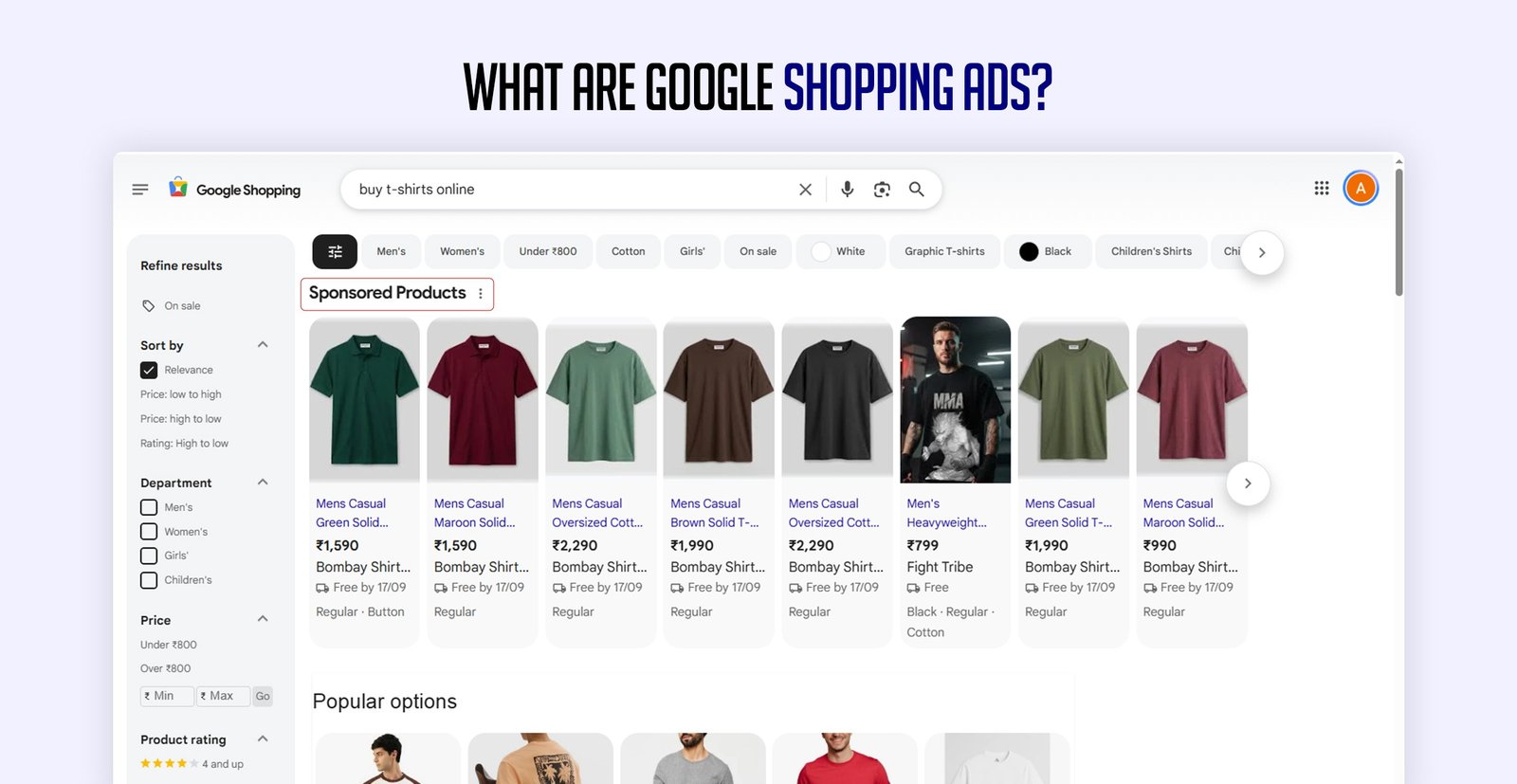
Google Shopping Ads are product-based advertisements that appear when people search for products on Google.
A typical Shopping Ad can show:
For example, if someone searches for "running shoes for men", Google may show several products from different online stores.
This allows users to compare products before visiting a website.
Tips: Shopping Ads introduce your product before the visitor reaches your website. Make sure the image, title, price and product information create an accurate first impression.
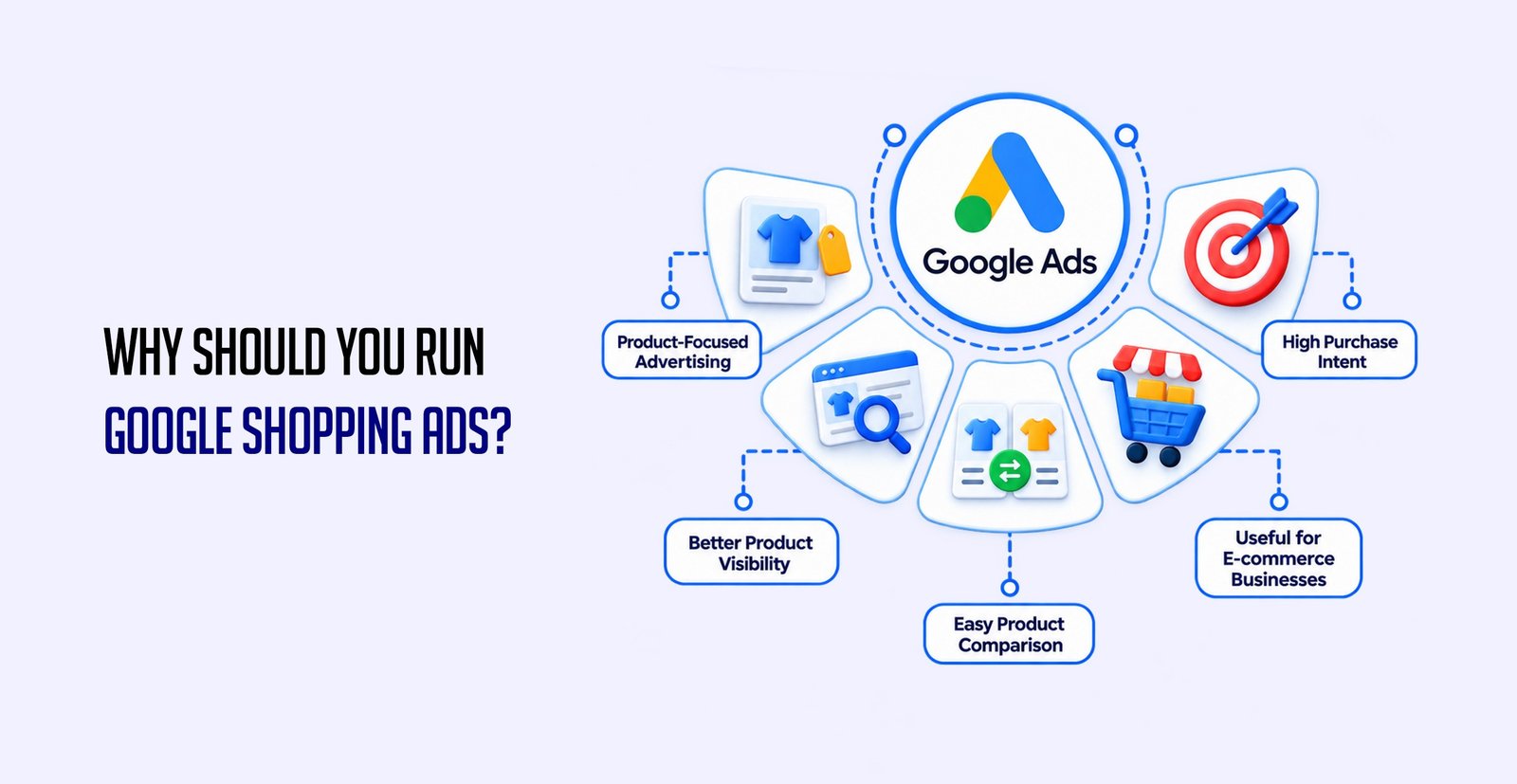
Google Shopping Ads can be useful because they put your products in front of people who are already searching for products similar to yours.
Product-Focused Advertising
Users can see the product, price, and other important information before clicking.
High Purchase Intent
Shopping searches often come from people who are already considering buying a product.
Better Product Visibility
Your products can appear prominently in Google search results.
Easy Product Comparison
Customers can compare different products, prices, and stores before making a decision.
Useful for E-commerce Businesses
Shopping Ads are especially relevant for online stores with multiple products.
Tips: Shopping Ads work best when your pricing, product presentation and website experience are competitive. Paid visibility cannot compensate for a weak product offer.
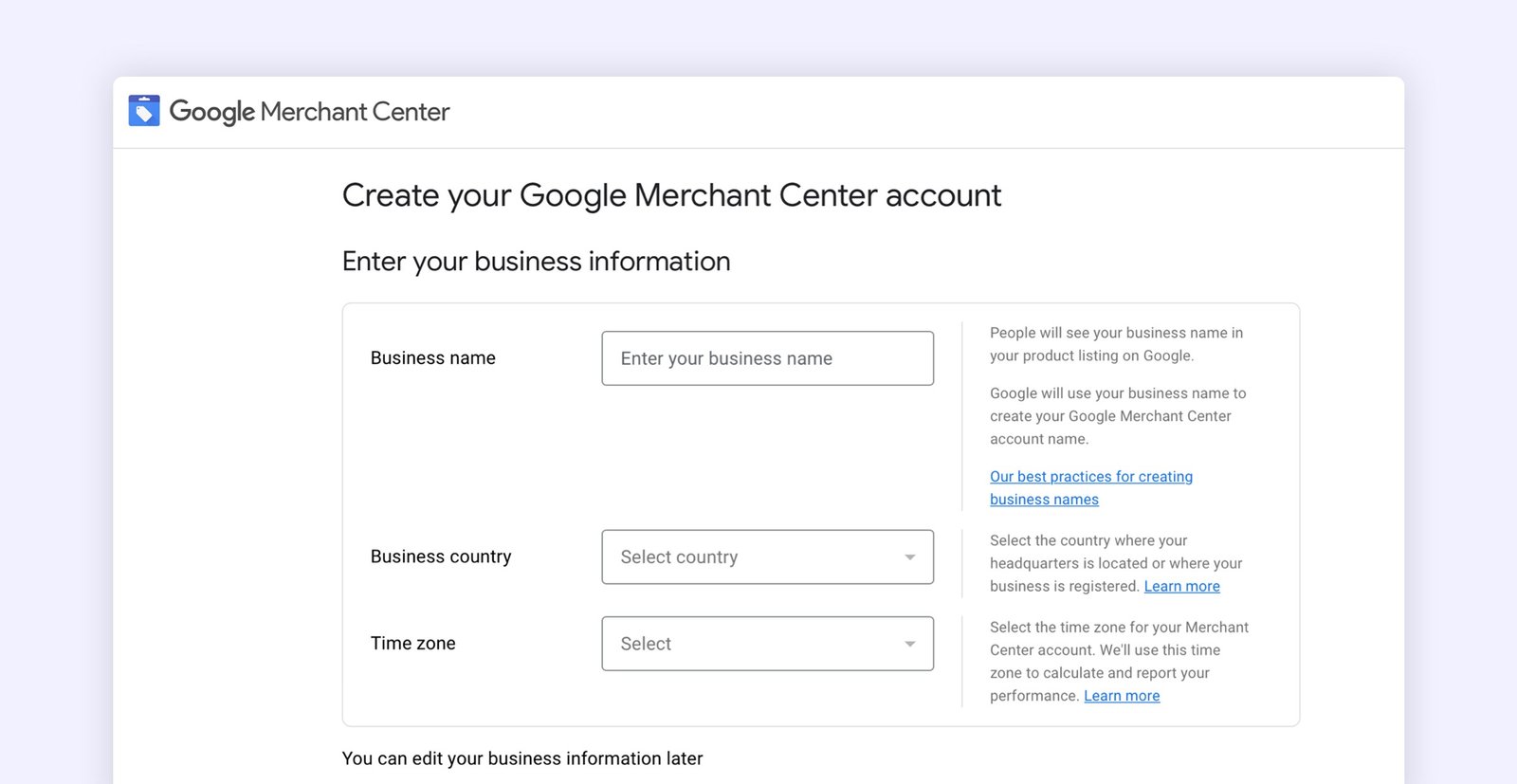
The first step is to set up Google Merchant Center.
Merchant Center is where you provide Google with information about the products you want to advertise.
Your product information can include:
Make sure your business and product information is accurate before starting your campaign.
Tips: Merchant Center data should match the information customers see on your website. Price, availability and product details should remain consistent.
Once Merchant Center is ready, you need to add your products.
You can provide product information using methods such as:
For stores with many products, a product feed is generally more practical because product information can be managed at scale.
Your product feed is extremely important for Shopping Ads.
Google uses the information in your product feed to understand what you are selling and when your products may be relevant to searches.
Product Title
Use clear and descriptive product names.
Product Description
Explain the product naturally and include important details.
Product Image
Use clear, high-quality images that accurately represent the product.
Price
Make sure the price matches the price shown on your website.
Availability
Keep stock information updated.
For example, instead of using a very broad product title such as:
Men's Shoes
Use something more descriptive:
Men's Running Shoes – Lightweight Sports Shoes for Daily Running
The goal is not to stuff keywords into the title. The goal is to give Google and potential customers useful product information.
Tips: Write product titles for clarity and relevance first. Include useful attributes customers actually search for instead of forcing unnecessary keywords into every title.
Before launching your campaign, check whether Google has identified any product issues.
Common problems can include:
Fix important issues before spending your advertising budget.
Tips: Resolve feed and product approval issues before scaling campaigns. Increasing ad spend cannot fix products that Google cannot properly understand or approve.
Your next step is to connect your Merchant Center account with your Google Ads account.
This allows your product information from Merchant Center to be used for advertising campaigns.
Once the accounts are connected, you can create Shopping campaigns in Google Ads.
Go to Google Ads and start creating a new campaign.
Choose an objective that matches your business goal, such as Sales if your primary goal is to generate purchases.
You can then select the appropriate campaign type and configure your products, budget, bidding, targeting, and other campaign settings.
The exact campaign options available can vary as Google updates its advertising platform, so focus on selecting the setup that matches your current business objective.
Tips: Let the business objective guide your campaign settings. Avoid choosing campaign types or bidding strategies simply because they are the default recommendation.
You don't always need to advertise every product immediately.
Start by identifying products that have:
For example, if an online store has 500 products, it may make sense to initially focus on its best-selling or most profitable products rather than spreading the budget across everything.
Tips: Start with products where demand, margin and conversion potential are strongest. A smaller focused campaign often produces clearer data than advertising an entire catalogue immediately.
Your budget determines how much you are willing to spend on advertising.
Don't choose a budget simply because a competitor is spending more.
Consider:
Product price + profit margin + conversion rate + target acquisition cost
For example, if your average product sells for ₹2,000, you need to understand how much you can realistically spend to acquire a customer while still making a profit.
Start with a manageable budget, collect data, and optimize based on performance.
Tips: Set your advertising budget according to unit economics. Revenue alone does not determine campaign profitability — margins and acquisition costs matter too.
Getting someone to click your Shopping Ad is only half the job.
The product page needs to convince them to buy.
Your landing page should have:
Good Ad + Poor Product Page = Poor Results
Your Shopping campaign and website need to work together.
Tips: Before increasing your ad budget, review your product page on mobile. A confusing page, slow load time or unclear checkout path can waste otherwise qualified traffic.
Before judging campaign performance, make sure conversions are being tracked correctly.
Depending on your business, you may want to track:
Conversion tracking helps you understand whether your advertising is actually generating business rather than just clicks.
Tips: Set up accurate purchase and revenue tracking before making major optimization decisions. Without reliable conversion data, campaign performance can be misleading.
Don't judge your campaign only by the number of clicks.
Look at several metrics together:
Impressions
How often your products are shown.
Clicks
How much traffic your ads generate.
CTR
How often people click after seeing your ad.
CPC
Average cost of each click.
Conversions
Number of purchases or other tracked actions.
Conversion Rate
Percentage of visitors who convert.
Cost per Conversion
Cost to generate a conversion.
ROAS
Revenue generated compared with ad spend.
For an e-commerce campaign, sales, conversion value, and ROAS are often more important than traffic alone.
Tips: Review performance at the product level as well as the campaign level. A campaign can look healthy overall while certain products consume budget without generating profitable sales.
This is a common problem.
If you are getting traffic but not purchases, check the following:
1. Product Price
Compare your pricing with competitors.
2. Product Page
Make sure customers can quickly understand the product and how to purchase it.
3. Website Experience
A slow or confusing website can cause potential customers to leave.
4. Shipping Costs
Unexpected shipping charges can affect purchase decisions.
5. Product Quality
Poor images or incomplete product information can reduce trust.
6. Checkout Process
If checkout is complicated, customers may abandon their purchase.
Tips: When traffic is strong but sales are weak, investigate the entire buying journey before changing the campaign. The problem may exist after the click rather than inside the ad account.
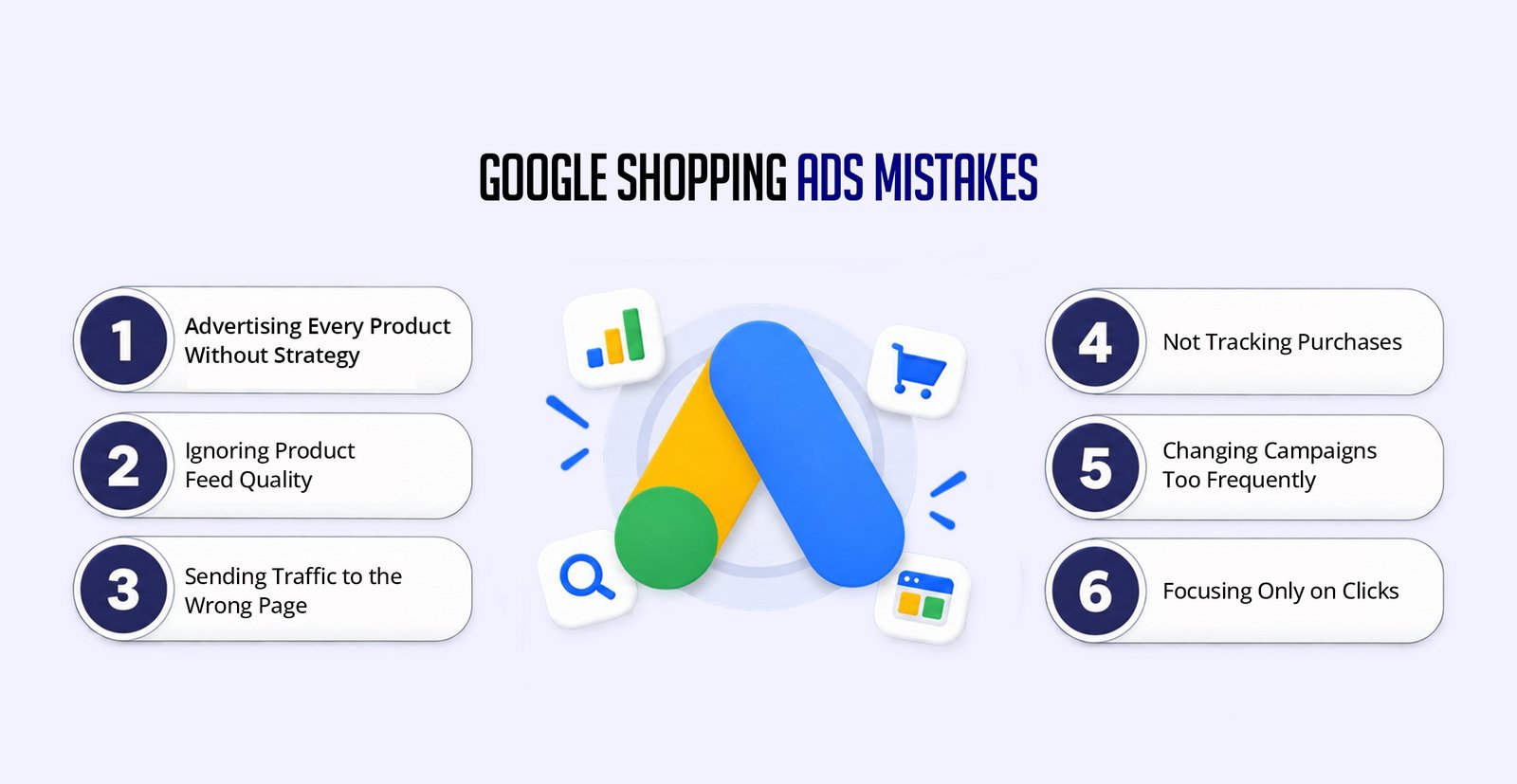
Advertising Every Product Without Strategy
Start with products that have the strongest potential.
Ignoring Product Feed Quality
Poor titles, descriptions, images, or product data can affect performance.
Sending Traffic to the Wrong Page
Customers should land directly on the relevant product page.
Not Tracking Purchases
Without conversion tracking, it becomes difficult to understand your real ROI.
Changing Campaigns Too Frequently
Give your campaigns enough time to collect useful data before making major changes.
Focusing Only on Clicks
Traffic is useful, but the ultimate goal for most e-commerce businesses is revenue and profitable sales.
Tips: Avoid reacting to every short-term fluctuation. Make campaign changes when you have enough reliable data to understand what is actually happening.
A simple approach for a new e-commerce business could look like this:
Tips: Scale only after you understand which products, audiences and campaign settings are producing profitable results.
Knowing how to run Google Shopping Ads is only the beginning. Successful Shopping campaigns require the right combination of product data, advertising strategy, website experience, conversion tracking, and ongoing optimization.
If your products are good but your campaigns are not generating enough sales, look beyond the ads. Your product feed, pricing, landing page, targeting, and checkout experience could all be affecting the final result.
A well-planned Shopping campaign can help an e-commerce business reach customers who are already searching for the products it sells.
Successful e-commerce advertising depends on more than Google Ads alone. Your product feed, product photography, website experience, creative presentation, tracking and digital marketing strategy all need to work together.
Agyle Studio can help connect paid advertising with creative, web development and digital growth services to create a stronger customer journey from search to purchase.
Comments are closed