- Get 50% OFF Your First Consultation – Limited Time Offer!

Quick Summary :- Google Ads is Google's online advertising platform that allows businesses to promote products and services across Search, Shopping, YouTube, websites, apps and other Google surfaces. The major types of Google Ads include Search, Display, Shopping, Video, App, Performance Max and Demand Gen campaigns. The right campaign type depends on your business goal, audience, product, budget and expected outcome.
When people search for a product, service, or business on Google, you have probably noticed advertisements appearing above or around the search results.
These advertisements are part of Google Ads, Google's online advertising platform.
Businesses can use Google Ads to reach potential customers when they are searching for relevant products and services, watching videos, browsing websites, or using apps.
But Google Ads is not limited to search advertisements. There are different types of Google Ads, and each one serves a different purpose.
In this blog, we will explain the major types of Google Ads and when businesses can use them.
Google Ads is an online advertising platform that allows businesses to promote their products and services across Google's advertising network.
Depending on the campaign type, your advertisements can appear on:
Businesses can choose their campaign goals, audience, budget, locations, and other settings based on what they want to achieve.
For example, a local business may use Google Search Ads to generate enquiries, while an e-commerce store may use Shopping Ads to promote its products.
Tips: Don't start by asking which Google Ads campaign is most popular. Start by defining the business outcome you actually want the campaign to generate.
One of the biggest advantages of Google Ads is that businesses can reach people when they are actively searching or engaging with relevant content.
Reach Potential Customers
Google Ads can help businesses reach people who are searching for products or services they offer.
Generate Website Traffic
Search and other campaigns can bring visitors to your website.
Generate Leads
Service-based businesses can use Google Ads to generate calls, enquiries, bookings, and form submissions.
Promote Products
E-commerce businesses can use Shopping campaigns to showcase products with images and prices.
Control Your Budget
Businesses can set advertising budgets according to their goals and resources.
Measure Performance
Google Ads provides data that can help businesses understand clicks, conversions, costs, and other campaign performance.
Tips: Measure Google Ads according to meaningful business outcomes. Traffic and clicks matter, but leads, sales, revenue and cost per result usually tell you more about actual performance.
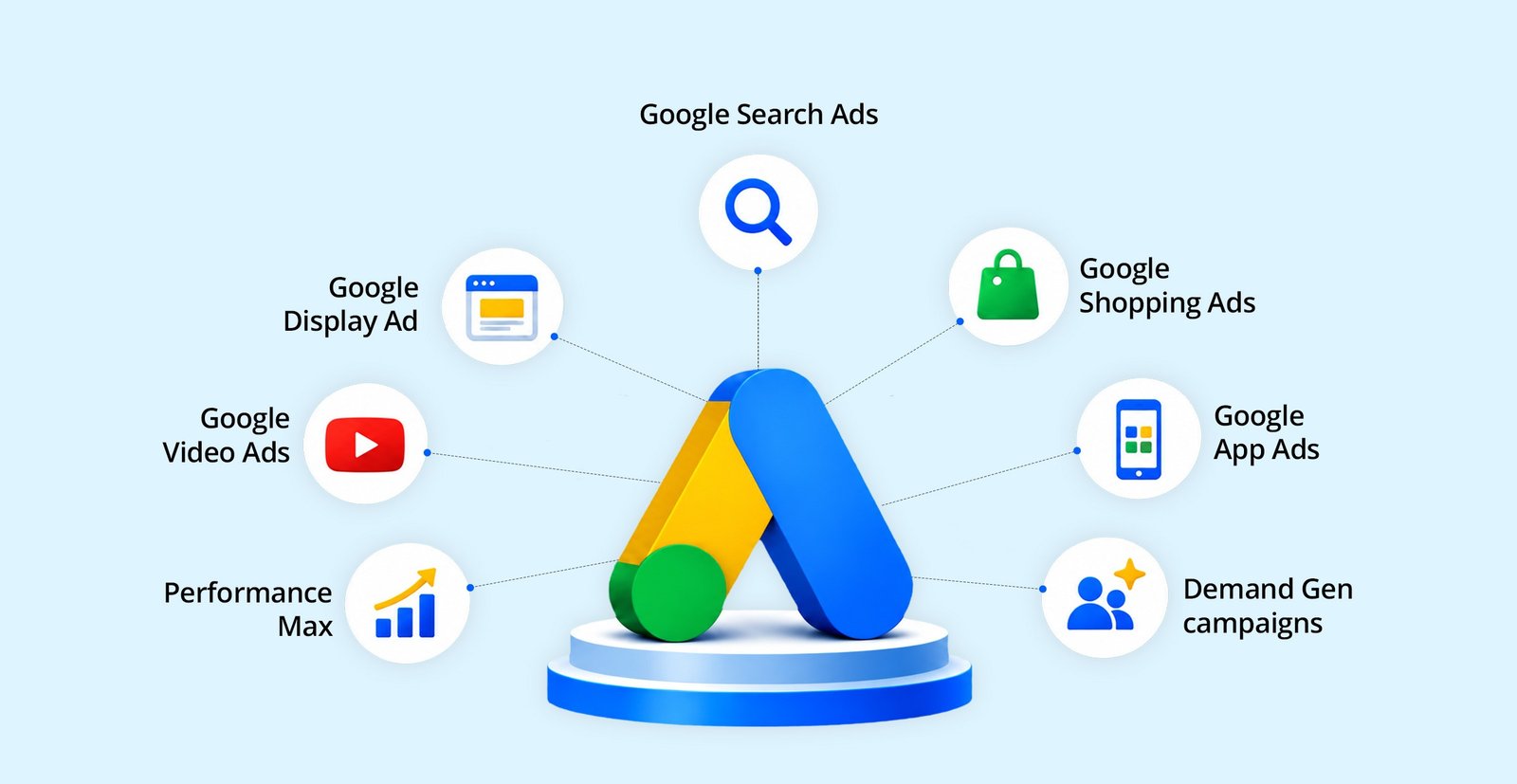
Google offers different campaign types for different advertising goals.
The major types include:
Let's understand each one.
Best for: Leads, enquiries, calls, and high-intent traffic.
Search Ads are text-based advertisements that can appear when people search on Google for relevant keywords.
For example, someone searches:
"digital marketing agency in Chandigarh"
A relevant business may appear as a sponsored result.
Search Ads are particularly useful when customers already know what they are looking for.
Best For:
For example, a dentist could target searches such as:
The goal is to reach people who are actively looking for the service.
Tips: Search Ads are strongest when the keyword, ad message and landing page closely match what the person is actively looking for.
Best for: Brand awareness, remarketing, and reaching audiences across websites and apps.
Display Ads use visual formats such as images and banners.
They can appear across websites, apps, and other Google Display Network placements.
For example, someone visits an online store but doesn't make a purchase. A business may use remarketing to show relevant advertisements to that person later.
Best For:
Display Ads are generally more focused on visual awareness and audience reach than high-intent search.
Tips: Display campaigns depend heavily on strong creative and audience relevance. Don't evaluate them using exactly the same expectations as high-intent Search campaigns.
Best for: E-commerce businesses.
Google Shopping Ads are designed for businesses selling physical products online.
They can show information such as:
For example, if someone searches for:
"running shoes for men"
Google may display different products from different online stores.
This allows customers to compare products before visiting a website.
Best For:
For a more detailed setup process, see our guide on How to Run Google Shopping Ads.
Tips: Shopping campaign performance depends heavily on product feed quality, images, pricing, landing pages and accurate conversion tracking — not just bidding.
Best for: Video marketing, awareness, consideration, and engagement.
Video Ads allow businesses to advertise through video content, particularly across YouTube and other eligible placements.
Video can be useful when a business needs to explain a product, demonstrate a service, tell a brand story, or create awareness.
Best For:
For example, a fitness brand could create a short video showing how its product works and use it to reach relevant audiences.
Tips: Video Ads need to communicate quickly. Make the opening seconds useful enough to earn attention before trying to explain every detail of the offer.
Best for: Promoting mobile applications.
If you have a mobile application, Google App campaigns can help promote the app and encourage people to install or engage with it.
Instead of manually creating separate campaigns for every Google platform, App campaigns can use Google's automation to help reach potential app users across eligible Google properties.
Best For:
For example, a food delivery company launching a new mobile app could use App campaigns to attract new users.
Tips: Define whether you want installs, engagement or another meaningful in-app action. App downloads alone may not tell you whether users are actually valuable.
Best for: Reaching customers across multiple Google channels.
Performance Max is a goal-based campaign type designed to help advertisers reach customers across Google's advertising inventory through a single campaign.
Depending on the campaign and available inventory, ads can appear across channels such as:
Performance Max uses Google's automation to optimize campaign delivery based on the advertiser's goals and available signals.
Best For:
Performance Max can be particularly useful when you have reliable conversion tracking and enough data to guide optimization.
Tips: Automation works best when it receives reliable inputs. Strong conversion tracking, useful creative assets and accurate business data are especially important for Performance Max.
Best for: Creating demand and reaching customers visually.
Demand Gen campaigns are designed to help businesses reach potential customers across visual Google surfaces.
They can be useful when your goal is to introduce products or services to people before they actively search for them.
Best For:
This type of campaign can be useful for brands that rely heavily on strong visuals and engaging creative content.
Tips: Demand-generation campaigns need strong visual communication because the audience may not already be actively searching for your product or service.
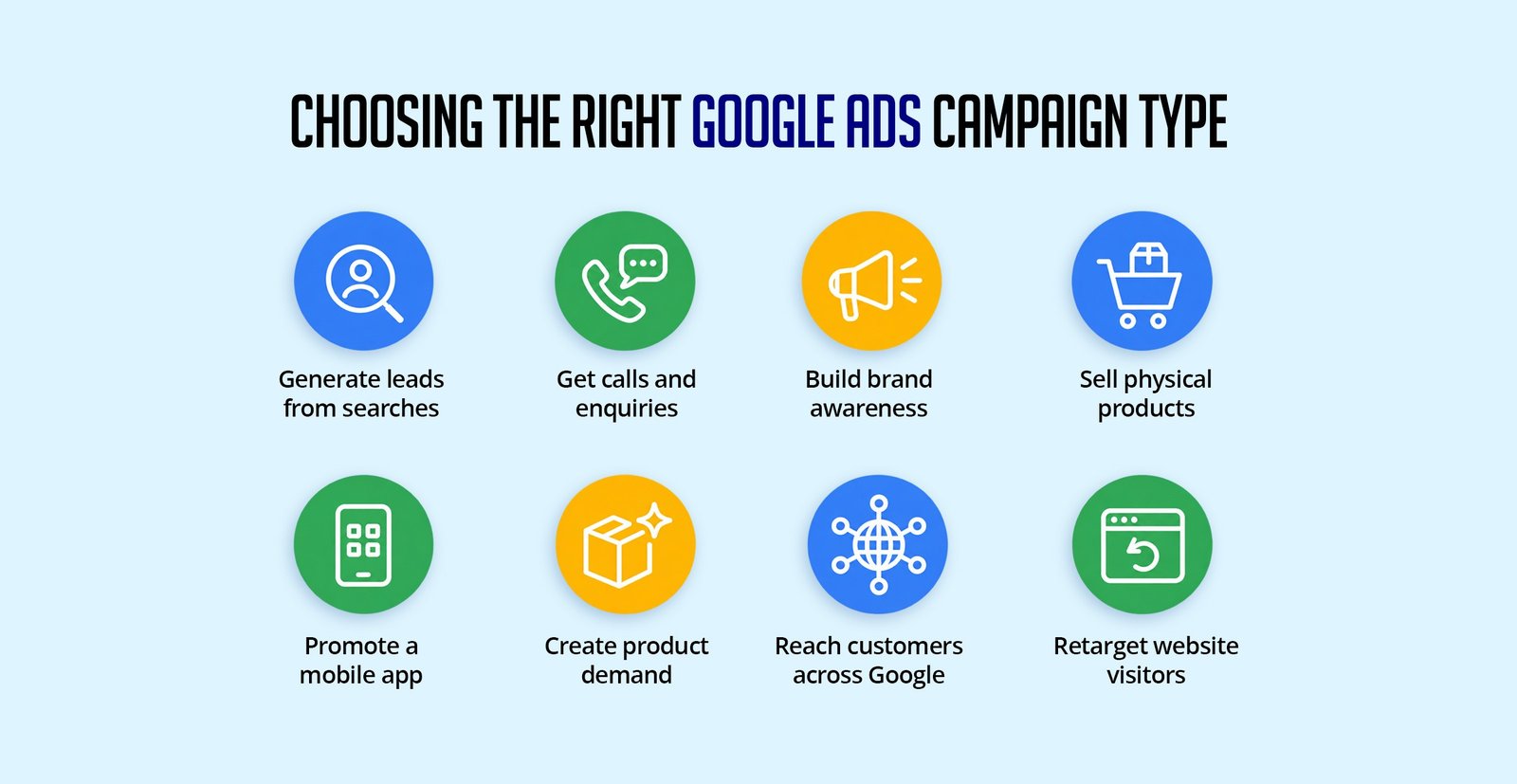
There is no single Google Ads campaign that is best for every business.
Your choice should depend on your business goal.
Generate leads from searches
Search Ads
Get calls and enquiries
Search Ads
Build brand awareness
Display / Video
Sell physical products
Shopping / Performance Max
Promote a mobile app
App Ads
Reach customers across Google
Performance Max
Create product demand
Demand Gen
Retarget website visitors
Display / Video / other eligible campaigns
Tips: Choose campaign type after defining your objective, not before. A campaign that is excellent for awareness may be a poor choice for high-intent lead generation.
Google Ads and SEO can both help your business appear on Google, but they work differently.
Google Ads
You pay to advertise and can start generating visibility once your campaigns are approved and running.
SEO
You optimize your website to improve its organic visibility in search results.
A business can use both.
Google Ads → Generate immediate paid traffic and leads
SEO → Build organic visibility over time
A combination of paid advertising and SEO can create a stronger overall search marketing strategy.
Tips: Don't treat paid search and SEO as competing strategies. They can serve different timelines and work together as part of a broader search marketing plan.
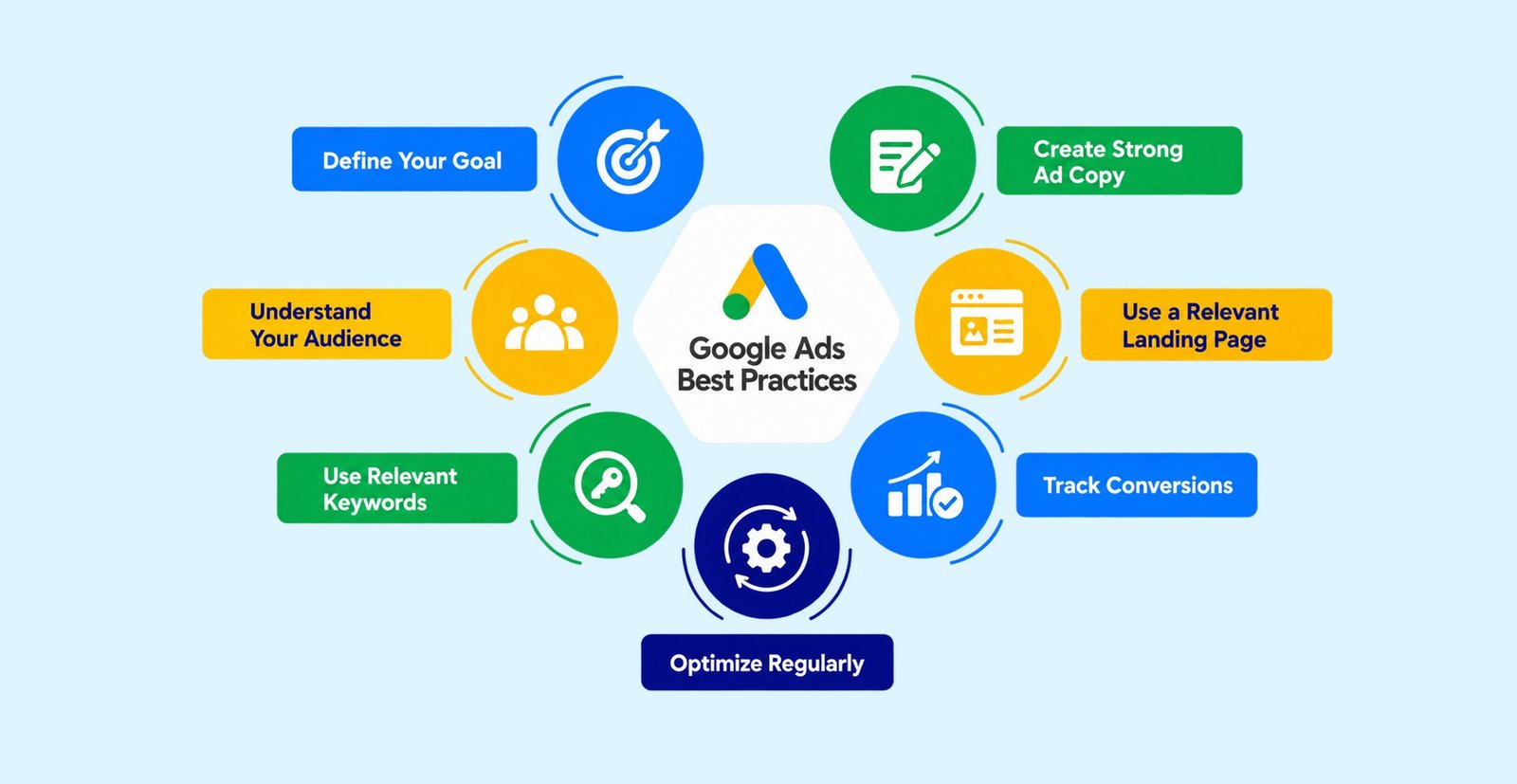
Choosing the right campaign type is only the first step.
For better results, focus on the following:
1. Define Your Goal
Know exactly what you want.
2. Understand Your Audience
Know who your ideal customer is and what they are searching for or interested in.
3. Use Relevant Keywords
For Search Ads, choose keywords that closely match your products or services.
4. Create Strong Ad Copy
Your advertisement should clearly communicate:
Problem → Solution → Benefit → Action
5. Use a Relevant Landing Page
Don't send every visitor to your homepage. Send them to a page that matches what they searched for or what your advertisement promised.
6. Track Conversions
Measure the actions that actually matter to your business.
7. Optimize Regularly
Review performance and make informed changes instead of changing everything randomly.
Tips: A strong campaign connects the search or audience intent, ad message, landing page and conversion tracking into one clear journey.
Choosing the Wrong Campaign Type
A campaign designed for brand awareness may not be the best choice if your primary goal is lead generation.
Focusing Only on Clicks
Getting clicks does not necessarily mean getting customers. Look at conversions, cost per lead, sales, and revenue.
Sending Everyone to the Homepage
A relevant landing page usually provides a better experience than a generic homepage.
Not Tracking Conversions
Without conversion tracking, it becomes difficult to understand whether your advertising is generating actual business results.
Using the Same Strategy for Every Business
A local service business and an e-commerce store have very different advertising requirements.
Ignoring Mobile Users
Many users access websites through mobile devices, so your landing pages and forms should work well on smaller screens.
Tips: Before increasing ad spend, make sure the campaign objective, tracking and landing experience are correct. More budget only amplifies the system you already have.
A simple approach can be:
Define Your Goal
↓
Understand Your Audience
↓
Choose the Right Campaign Type
↓
Create Relevant Ads
↓
Send Traffic to the Right Page
↓
Track Conversions
↓
Analyze Performance
↓
Optimize & Scale
The right campaign structure depends on your business, audience, budget, and objective.
Tips: Scale only after you understand which parts of the campaign are producing meaningful results. Increasing budget should follow evidence, not guesswork.
Understanding the types of Google Ads makes it easier to choose the right advertising strategy for your business.
A local service provider may benefit from Search Ads, an e-commerce business may focus on Shopping and Performance Max, while a brand launching a new product may use Video, Display, or Demand Gen campaigns.
The key is not to run every type of Google Ads just because it is available.
Choose the campaign based on your goal, audience, product, budget, and expected outcome.
When the campaign type, advertisement, landing page, and tracking system work together, Google Ads can become a powerful part of your digital marketing strategy.
A successful Google Ads campaign starts with choosing the right campaign type and connecting it with the right audience, creative, landing page and conversion tracking.
Agyle Studio can help businesses combine paid advertising with digital marketing, creative communication and web experiences to create a more complete customer journey.
Comments are closed